Multilayer Bear Scene Art Svg for Stunning 3D Projects
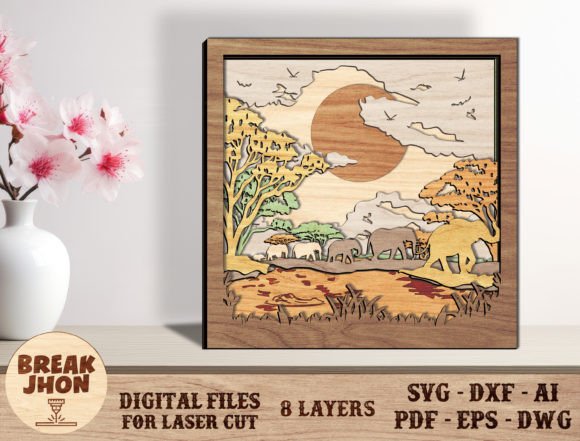
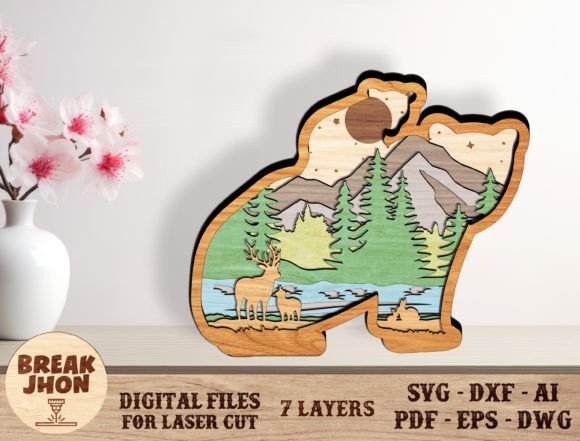
Imagine transforming a simple sheet of material into a breathtaking, multi-dimensional forest scene with a majestic bear as its centerpiece. That's the magic of the Multilayer Bear Scene Art Svg, a digital design asset that brings depth and narrative to your creative projects. This seven-layer laser cutting file is engineered to produce a stunning 3D application, resulting in a finished piece that stands an impressive 10.5 inches tall, perfect for making a statement in any space.
This versatile design package is a fantastic resource for creators and small business owners looking to produce beautiful, tactile artwork. Upon downloading the ZIP file, you'll find a comprehensive suite of file formats: SVG, DXF, AI, EPS, PDF, and DWG. This ensures compatibility with virtually any design software or cutting machine you prefer, from Glowforge and Silhouette to Cricut, Brother, Inkscape, and more. The file is thoughtfully organized with clear color-coding—red for cut lines and blue for engraving—which you can easily adjust to match your specific laser software's requirements.
Unleashing Creative Potential with Laser-Cut Art
The practical applications for this bear scene design are vast and inspiring. Consider these possibilities:
- Home Décor & Wall Art: Create a stunning focal point for a living room, cabin, or child's bedroom. The layered effect adds a gallery-quality dimension that flat prints cannot achieve.
- Unique Gifts & Merchandise: This project is economical and easy to assemble, making it ideal for crafting personalized gifts or for small-scale mass production for craft fairs and online stores.
- Event Centerpieces & Decorations: Design eye-catching table centerpieces for nature-themed weddings, baby showers, or corporate events that celebrate the outdoors.
- Scrapbooking & Memory Keeping: Add a spectacular 3D element to a scrapbook page dedicated to a hiking trip, wildlife adventure, or nature journal.
For optimal results, the design recommends using a material thickness of 1/8 to 1/4 inch. This pressing section provides the perfect balance of structural integrity and visual depth, allowing each layer to cast subtle shadows and create a compelling sense of realism.
Tips for a Flawless Project
To ensure your final piece looks polished and professional, keep a few best practices in mind. First, always perform a small test cut on your chosen material to fine-tune your machine's settings for speed and power. This simple step saves time and material. Second, consider the color and texture of your material. Natural wood tones can enhance the rustic feel, while painted acrylics in bold colors can give the scene a more modern, illustrative quality.
When assembling your layers, work on a flat, clean surface. Apply a strong, fast-drying wood glue or craft adhesive sparingly to the back of each layer before carefully aligning and pressing it onto the previous one. Using a light, even pressure will prevent warping and ensure a clean bond. Taking your time with this process is key to achieving a seamless, professional finish.
Choosing a well-designed, multi-format asset like this one empowers you to move beyond basic projects and create something truly memorable. It provides the foundation for your creativity, allowing you to focus on the joy of making. Whether you're a seasoned maker or just starting your journey into laser cutting, this bear scene offers a rewarding and impressive project that is sure to delight both you and anyone who sees the finished result.